A town hall quiz app for hundreds of phones at once
A town hall quiz app has a different job from a stall quiz. Nobody wants a lead list of their own employees. You want a few hundred phones answering the same question at once, a screen that shows the split, and no personal data collected at all.
Just a name: a town hall quiz app that stores nothing personal
Set the event's registration to "Just a name". The player screen asks for a display name and nothing else: no email, no consent line, no company, no IP hash. The one-attempt rule keys on a random id the phone keeps for itself, so a person cannot play twice from the same phone but there is no way to tie a score to an employee record. Result emails, follow-up and the consent ledger simply skip these players.
That is the right default for an all-hands, a founder's day, a family day at the plant or a school event. HR does not have a data-protection question to answer afterwards, and people play under the name they want on the screen. Everything else works unchanged: the board, Stage mode, teams, the lucky draw, and a CSV with the contact columns left blank.
Stage mode: the host's phone runs the room
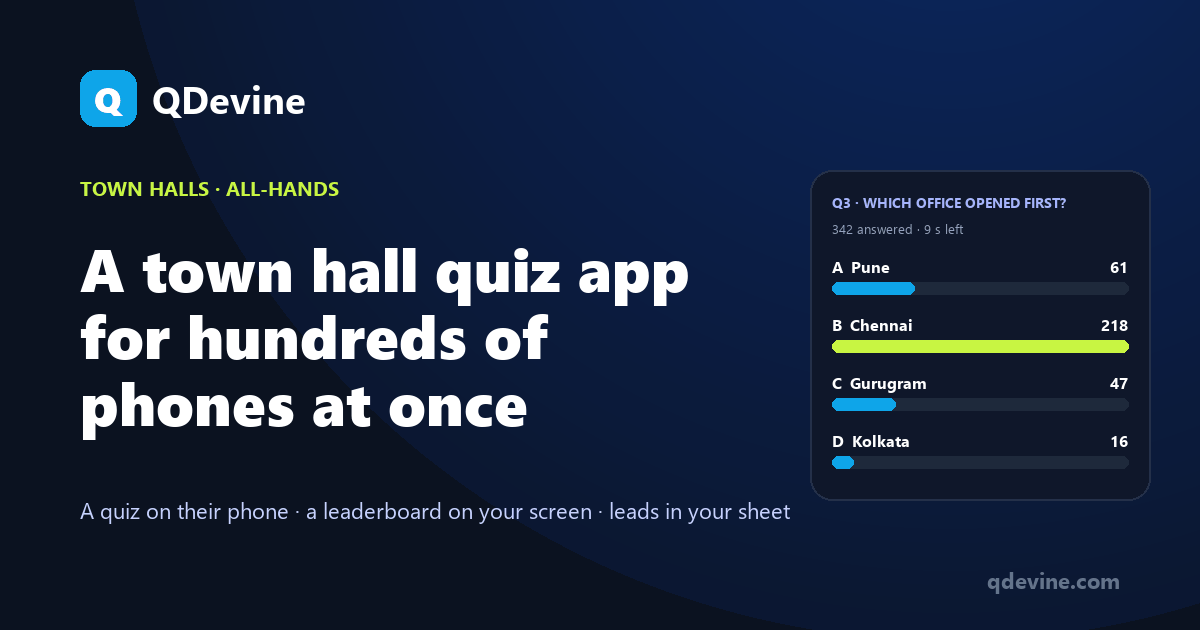
A town hall is hosted, so use Stage mode. The host opens the event on their phone and presses Start; every phone in the room lands in the lobby. Press the first question and it opens on every screen with the timer while the big screen shows the live count per option. Press Reveal for the answer and the one-line explanation. Press Standings for the ranked board. Press Next. The MC never touches a laptop.
An answer is accepted only while the question is open, with a short grace for slow networks. Skipped or timed-out questions are padded and cost a full question window in the tie-break, so the person who was quick and present ranks above the one who wandered in for the last question.
Hundreds of phones at once
In Stage mode each phone checks in every two seconds and sends a few hundred bytes per answer. The per-option counts are kept on the server so the big screen's refresh never scans the player list; it simply asks for four numbers. An auditorium in Bengaluru with 400 people on office Wi-Fi and a few dozen on mobile data is the normal case, not the edge case. The board runs in any browser on the hall's screen, keeps itself awake and reconnects on its own after a network drop.
Teams, regions, floors
Add a team field and the board shows team standings above the podium, ranked by best average score and then total points, so a floor with 90 people does not beat a floor with 30 on volume alone. Or leave teams off and let the individual board do the talking. Between rounds the lucky draw picks a random name from everyone who finished and shows it on the screen for 90 seconds; it skips earlier winners.
Questions in English and Hindi, written from your deck
The player screens, buttons and prompts exist in English and Hindi and each person picks on their own phone. Drop the quarter's all-hands deck or a PDF into the AI builder and it writes ten questions in both languages; edit them in the form, set the timer and the reveal time, and you are ready. Or paste questions in the "Q1. / A. / Correct Answer: B" format, CSV or JSON.
A town hall for up to 30 people runs on the Free plan with every feature and the platform badge. A larger room needs one Event Pass at ₹9,999 plus GST, or $149 outside India, which covers the event for 30 days with unlimited players and your logo on the screen. A company that runs a monthly all-hands pays ₹7,999 per pass from three or ₹5,999 from ten, and the credits are valid for 12 months.
Questions HR and internal comms ask
Do employees need to install anything or sign in?
No. They scan the QR on the screen or type the six-character code into the player page, enter a display name and wait in the lobby. No app, no account, no email.
Is any personal data collected in Just-a-name mode?
Only the display name the person types. No email, consent, company or IP hash is stored, and the one-attempt lock uses a random id on the phone rather than anything about the person.
Can we still get a scoreboard export?
Yes. The CSV lists display name, team, score, time and per-question answers, with the contact columns blank. Useful for prizes and for seeing which company-facts question the whole room got wrong.
What if the host's phone loses signal mid-quiz?
The stage state lives on the server, not on the phone. Reconnect, open the event again and carry on from the same question; players' phones keep polling and pick up where the host left off.
Read next
- Training and town halls: the solution page, with roster and per-question reports for training rooms.
- Corporate training quiz with leaderboard: when you do want scores against a roster.
- Running a quiz for 200 people from one phone: the Stage mode walkthrough.