Running a dealer meet quiz for 200 people from one phone
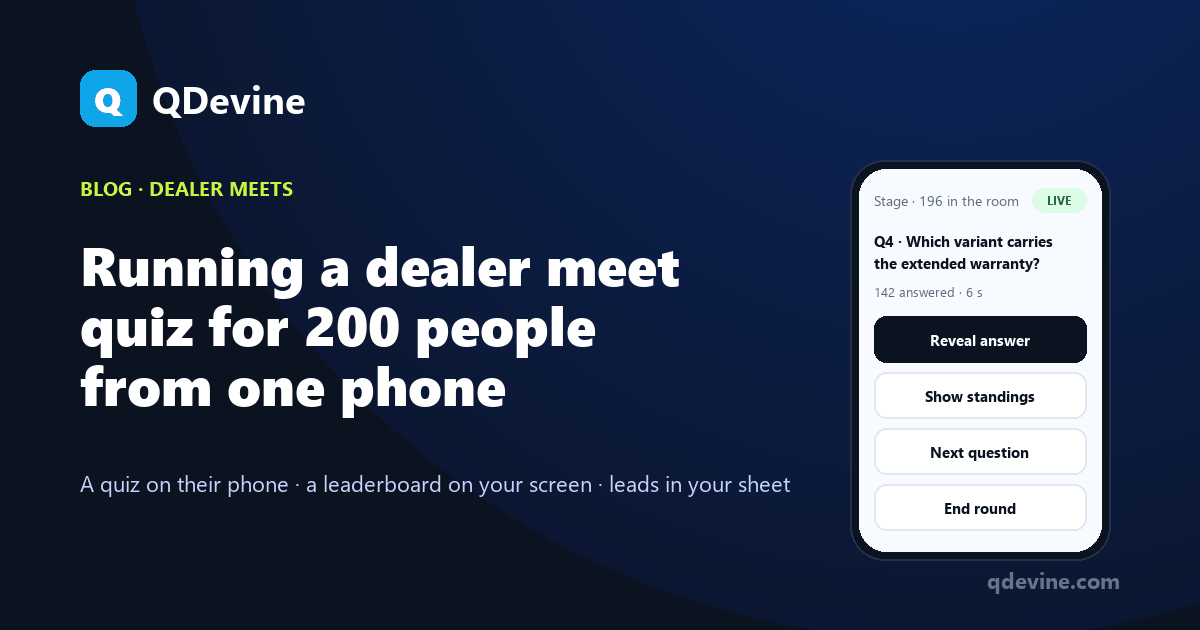
A dealer meet quiz for 200 people used to need a laptop on the stage, a working projector cable and someone to read out the answers. Stage mode replaces all of that with the host's phone. This is the walkthrough, from the roster upload to the CSV on the drive home.
The night before: questions, roster, teams
Create the event and set its play mode to Stage. Paste your questions in the "Q1. / A. / Correct Answer: B" format, or drop the launch deck PDF into the AI builder and let it write ten questions in English and Hindi; edit them in the form. Eight to twelve questions suits a room that has set aside twenty minutes. Set the timer, say 20 seconds, and the reveal time.
Upload the attendee list as a CSV or paste it: email, name, dealership, region. Rows that name a team create it, so four regions become four teams. Make the session invite-only if walk-ins should be refused. Add consent lines if you plan to follow up, or use a "Just a name" event if you only want scores.
Rehearse on the Free plan, then buy an Event Pass (₹9,999 plus GST; ₹7,999 each from three). Do not make the event live yet; the 30 days start when you do.
Morning: the screen and the QR
Open the board link on the hall's screen in any browser and press F11. Nothing is installed and no cable runs to the stage. The board shows the QR and the six-character code, keeps itself awake and reconnects after a network drop. Put the QR on the first slide and the table tents. Dealers scan, type their email, and their name, dealership and region fill in from the roster.
Make the event live. Every phone that scans now waits in the lobby, in English or Hindi.
On stage: Start, question, Reveal, Standings, Next
Open the stage controls on your phone. The whole round is five buttons.
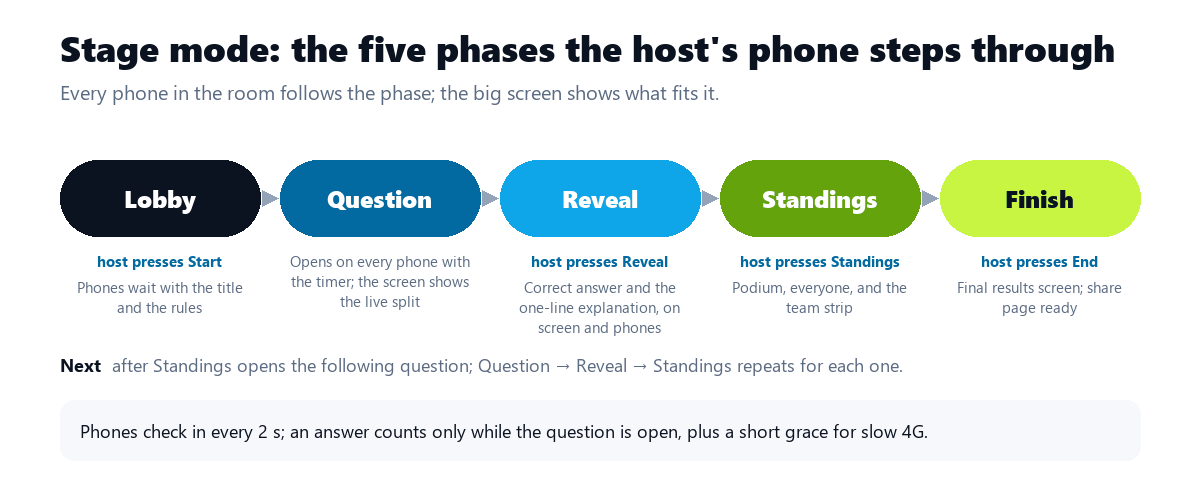
- Start. The lobby closes and the first question opens on 200 phones at once, with the timer. The screen shows the question and the live count per option as answers arrive.
- Reveal. The correct answer and the one-line explanation appear on the screen and on every phone. This is the teaching moment: if most of the room picked the wrong finance scheme, say so now.
- Standings. The board ranks the room and, above the podium, the four regions by best average score and then total points. Let it sit; this is what the room came for.
- Next. The following question opens. Repeat.
- End. The board becomes the final results screen, and a read-only results page with a Share button is ready for the LinkedIn post.
Phones check in every two seconds, so a press reaches the room almost at once. An answer counts only while the question is open, plus a short grace for slow networks. A late arrival joins from the next question; skipped questions cost a full question window in the tie-break, so the quick and present rank above the late.
Two hundred phones on banquet-hall 4G
This is the question every organiser asks. Each phone sends a few hundred bytes per answer and a small poll every two seconds. The per-option counts are kept on the server, so the big screen asks for four numbers rather than scanning 200 players. Dealers use their own mobile data; only the screen needs a steady connection, and a phone hotspot is enough. A hall in Jaipur or Coimbatore with one bar of signal is the case the product was built for.
If your own phone drops off mid-round, the stage state is on the server. Reconnect, reopen the event and carry on from the same question.
Between rounds: the lucky draw and the prizes
Press draw and a random name from everyone who finished pops on the screen for 90 seconds; a second draw skips the first winner. Award the top scorer's prize from your phone and their screen lights up. Fictional example: Orvane Logistics runs two rounds with a draw between them, and the West region wins on average score with the fewest dealers in the room, which is the point of ranking by average.
The drive home: what is in the CSV
Rank, name, email, dealership, region, score, total, time, status and per-question answers for every dealer. The dashboard shows correct answers by question, so the training manager knows which slide needs a second pass. Opt-ins get a thank-you email when you stop the event, and a connected Google Sheet or webhook already has every row.
Questions hosts ask about Stage mode
Can two people share the host controls?
Yes. Any admin in the workspace can open the stage controls, and the state is on the server, so whoever presses Next moves the room. Agree who is driving first.
What does a dealer see if they scan before Start?
The lobby: the quiz title, the number of questions and seconds per question, and a line saying the host runs it from the stage. Their phone moves on the moment you press Start.
How long does the whole round take?
Ten questions at 20 seconds, with a reveal and standings after each, is roughly ten to twelve minutes including pauses. Plan twenty with the draw and the prize.
Can we run a self-paced warm-up first?
Yes, as a separate self-paced event on the invite QR while people find their seats. It has its own board and pass; the Stage mode round is the main event.
Read next
- Dealer meet quiz ideas: seven rounds that work in the room.
- Dealer meets: the solution page, with what you walk out with.
- Town hall quiz app: the same Stage mode with nothing personal stored.