Consent at the stall: what the DPDP Act means for exhibitor lead capture
India's Digital Personal Data Protection Act, 2023, and its rules change what collecting leads at a stall means in practice. This is the practical version for an exhibitor: what to show, what to ask, what to keep, and how QDevine does each. It is not legal advice; check your situation with your own counsel.
Who is responsible for the visitor's data
Under the DPDP Act the organisation that decides why and how personal data is processed is the Data Fiduciary. At a stall that is you, the exhibitor: you chose to collect the name and email and you decide what to do with them. The tool you collect them with is a Data Processor acting on your instructions. The duties, giving notice, taking consent, honouring erasure, keeping the data safe, sit with you; a good tool makes them easy to meet.
QDevine's privacy policy says exactly this: for players, the exhibitor is the fiduciary and we are the processor. A player's request can come to either of us, and we pass it to you.
Notice before consent
The Act expects a person to be told, in plain language, what is collected and why, before they agree. A fishbowl of business cards gives no notice. A badge scanner gives whatever the organiser's registration form said, months earlier, about a different purpose.
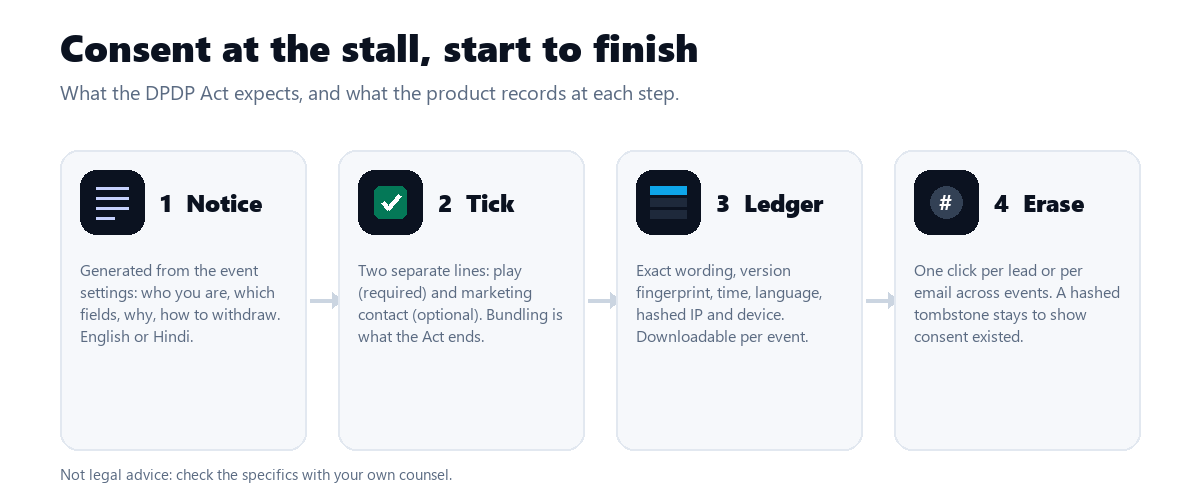
On QDevine a privacy notice is generated from your event settings: who you are, which fields you ask for, why, and how to withdraw. It opens from the consent line on the registration screen, in English or Hindi, and you can link your own policy alongside it. It changes when the settings change, so last year's notice is not silently reused.
Two separate consents, not one big tick
Consent is supposed to be specific. Playing a quiz and receiving marketing afterwards are two purposes, so the form carries two lines: one to play, required, and one to be contacted, optional. A visitor who wants the leaderboard but not the newsletter can have exactly that, and your list shows who ticked which. Bundling the two into one line is the habit the Act is meant to end.
Write the marketing line in your own words: what you will send, roughly how often, by what channel. That wording is what gets recorded.
Keep a record you can show
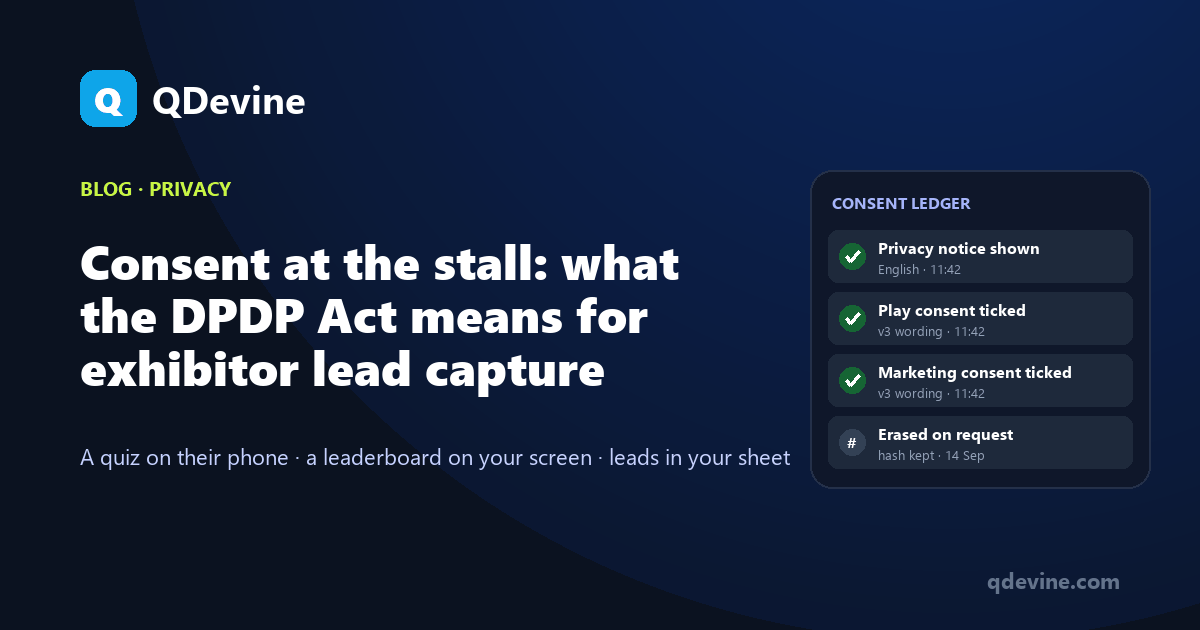
If a player later asks when they agreed to this, you need something better than "they were at our stall in March". Every tick on QDevine is written to a consent ledger you can download as a CSV: the exact wording, a version fingerprint of it, the time, the language, and a hashed IP address and device string. The ledger is per event, so the Pragati Maidan record is separate from the HITEX record.
The fingerprint matters more than it looks. Edit the consent line mid-show and players who ticked before and after are recorded against different versions, so you can say which wording each person agreed to.
Erasure that leaves a trace
A visitor can withdraw consent and ask to be erased. Do it from Live Ops for one lead, or from Settings for one email across every event. The personal data goes; a hashed tombstone stays in the ledger so you can still show that consent existed and was withdrawn on a date.
Data is hosted in the AWS Mumbai region and is never shared between customers.
Ask for less, then follow the checklist
The simplest compliance step is collecting only what you need. A lead-capture event asks for a name and an email by default; mobile, company and custom fields are optional per event. The work-email rule refuses personal addresses, which keeps consumer data out of a B2B list. For a town hall or training room where you do not want leads at all, a "Just a name" event stores a display name and nothing else.
- Decide the fields. Name, work email, and one thing sales needs. Nothing else.
- Write the two consent lines in plain English (and Hindi if your visitors read it), and read the generated notice once.
- Print the QR. The notice and the lines travel with it; a standee needs no small print.
- After the show, download the leads CSV and the consent ledger and keep them together.
- When a follow-up goes out, send it only to marketing opt-ins, and honour a withdrawal by erasing from the dashboard.
Questions exhibitors ask about consent
Is a tick on a phone screen valid consent?
The Act cares about the consent being free, specific, informed and unambiguous, and about your ability to show it. A tick on a clearly worded line, after a notice, with the wording and time recorded, is designed to meet that. Confirm the specifics with your counsel.
What if a visitor ticks "play" but not "marketing"?
They play, they appear on the board, they get their result email, and they are excluded from follow-up sends and from a marketing-only lucky draw. The CSV shows both consents separately.
Can we reuse last year's leads?
Only for the purpose they consented to, and only if that consent has not been withdrawn. The ledger tells you what they agreed to. Do not fold them into a new purpose without asking again.
Who answers a player's privacy request?
You do, as the fiduciary, and QDevine will forward any request it receives to you. Erasure takes one click per lead or per email, and the ledger keeps a hashed record of what was withdrawn and when.
Read next
- Exhibition lead capture game: the registration step as the price of entry, and what goes in the CSV.
- QR code contest for packaging: consent for a consumer promotion, where the public is the audience.
- Privacy policy: the full notice, including the fiduciary and processor roles.